


Skip to content
View in the app

A better way to browse. Learn more.

OCWFED

A full-screen app on your home screen with push notifications, badges and more.

To install this app on iOS and iPadOS
  1. Tap the Share icon in Safari
  2. Scroll the menu and tap Add to Home Screen.
  3. Tap Add in the top-right corner.
To install this app on Android
  1. Tap the 3-dot menu (⋮) in the top-right corner of the browser.
  2. Tap Add to Home screen or Install app.
  3. Confirm by tapping Install.

Goddrifter Bio

Featured Replies

Wrestler: Goddrifter (GD)


Hometown: Long Beach, CA

Height: 6’5

Weight: 247 Lbs.

Original Theme Song: Decadence by Disturbed

New Theme Song: Make Ya Self by Far East Movement


Born to a middle class family, Goddrifter is taught to be appreciative of the hard work and dedication of a passion and/or hobby.

Goddrifter got into wrestling because of his cousins, during highschool, He kept things to himself, not dating anyone nor engaging in any trends. Rarely get into fights, was part of the kendo team for 2 years (freshman year and sophomore year), Was part of the MMA Club for 2 years (Junior year and senior year) and graduated with honors.

It was until he was invited to a indie show by his uncle and his Father (who is retired), trained by his uncle, Goddrifter was able to practice not just his marital arts but also his aerobics as well. After 4 years of being in the Indies, his uncle Told Him about OCW and just like that he signed up and droved to OCW in a  2005 Cadillac Escalade EXT (Graduation Gift From Highschool with 140,000 Miles) and Now He has to proof himself inside and outside the ring. Destination: OCW.


Signature 1: Gift To Ra [G.T.R] (Razor’s Edge)

Signature 2: Rotory (Whippersnapper

Finisher: Nero Nemesis (Vertebreaker)


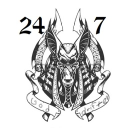
Nickname: The Californian Jackal


Edited by Goddrifter
Forgot to add the hometown and everything else

Account

Navigation

Configure browser push notifications

Chrome (Android)
  1. Tap the lock icon next to the address bar.
  2. Tap Permissions → Notifications.
  3. Adjust your preference.
Chrome (Desktop)
  1. Click the padlock icon in the address bar.
  2. Select Site settings.
  3. Find Notifications and adjust your preference.